Ad sequencing is a new storytelling feature for 'Awareness' and 'Engagement' campaigns that allows advertisers to control the order in which ads are shown to their audience, enhancing brand storytelling and engagement.
Setting Up an Ad Sequencing Campaign
- Create a new campaign and select either the 'Awareness' or 'Engagement' objective.
- At the Ad Set level, choose the performance goal:
- For Awareness: select 'Maximize reach of ads'.
- For Engagement: select 'Maximize ThruPlay views'.
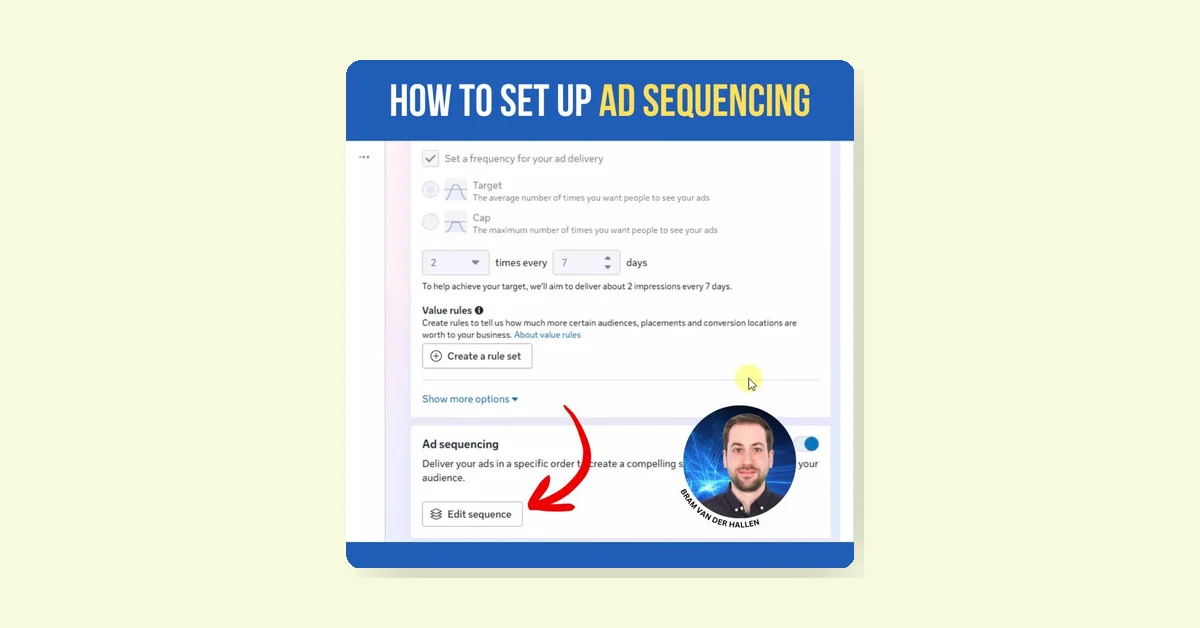
- Under 'Frequency control', select 'Target' and set the average number of times you want your ads to be seen.
- Add at least two ads to your ad set.
- Complete the setup of your lifetime budget, audience, and targeting at the ad set level.
- Publish your campaign, ad set, and ads, but disable the campaign initially.
- Return to the ad set level and enable 'Ad sequencing'.
- Click 'Edit sequence' to arrange your ads in the desired order using drag and drop.
- Choose the repeat logic: either repeat the full sequence or repeat the last ad.
- Click 'Done', publish the changes, review the setup, and then enable your campaign to start delivery.
Benefits and Use
This setup ensures ads are delivered in the specified order, such as showing ad 1 before ad 2, which is ideal for storytelling and increasing brand interest. Ad sequencing can be leveraged to create a more engaging and structured narrative for audiences in Awareness and Engagement campaigns.