
Bram is dedicated to helping businesses accelerate growth through digital innovation. With a deep curiosity and passion for technology, he leverages his expertise to drive success in the digital landscape. His commitment to continuous learning and adapting to new trends ensures that he stays at the forefront of the industry, providing valuable insights and strategies to his clients.
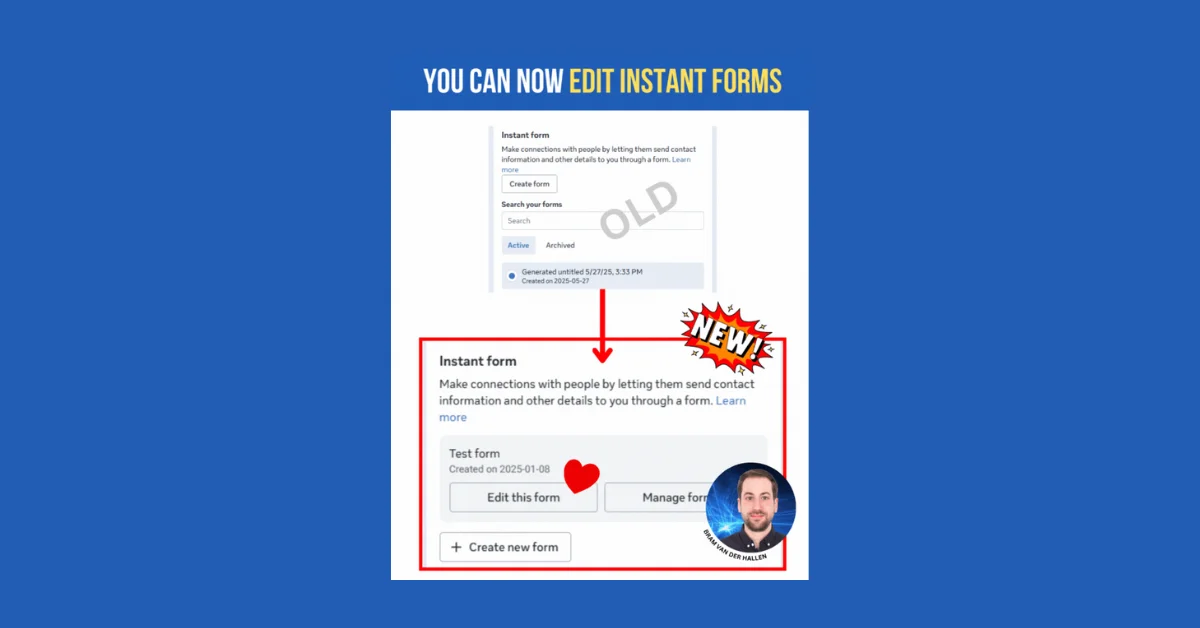
You can now edit Instant Forms in Meta Ads Manager, which was not possible before. Previously, you could only duplicate or archive forms. The updated interface allows editing and managing forms at the ad level, saving time and offering more flexibility. This update is appreciated by users.
Upload all Meta ad types in bulk directly from Google Sheets, single image, video, carousel, and flexible ads. Control placements, multiple headlines, primary texts, descriptions, and creatives from one spreadsheet. Built for agencies and teams managing dozens of ads across multiple accounts, helping you launch faster, stay consistent, and avoid costly manual errors.
Meta Advertisers' 'Format Display Options' replace 'Flexible' and 'Collection' formats in ad setup. With 'Manual upload', only 'Single image or video' and 'Carousel' remain. 'Single image or video' allows up to 10 media files and enables 'Format display options' for showing products or site links if provided. 'Carousel' lets you show cards as single images/videos or collection tiles, with the first media as primary.
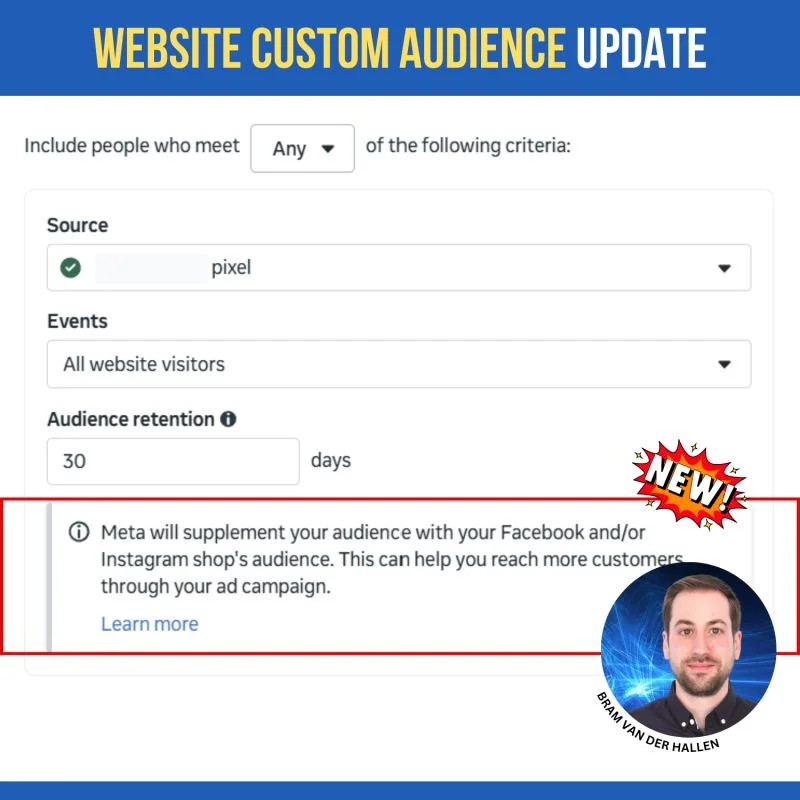
Threads is now a dynamic URL parameter in Meta Ads, labeled 'th' and 'threads_stream'. You can create live video ads directly in Meta Ads Manager by linking live videos from your Facebook Page. Two new metrics, 'WhatsApp Channel Follows' and its cost, track followers from ads. Catalog ads now feature automatic image cropping for better fit in feeds and stories. Website Custom Audiences may include Facebook/Instagram shop audiences to boost retargeting.
Meta now supplements Custom Audiences for Facebook or Instagram shops with on-platform events and shop audiences. When creating a website custom audience targeting certain events or all visitors, Meta adds people who interacted with products on FB/IG. This can increase retargeting audience size and improve ad campaign results.
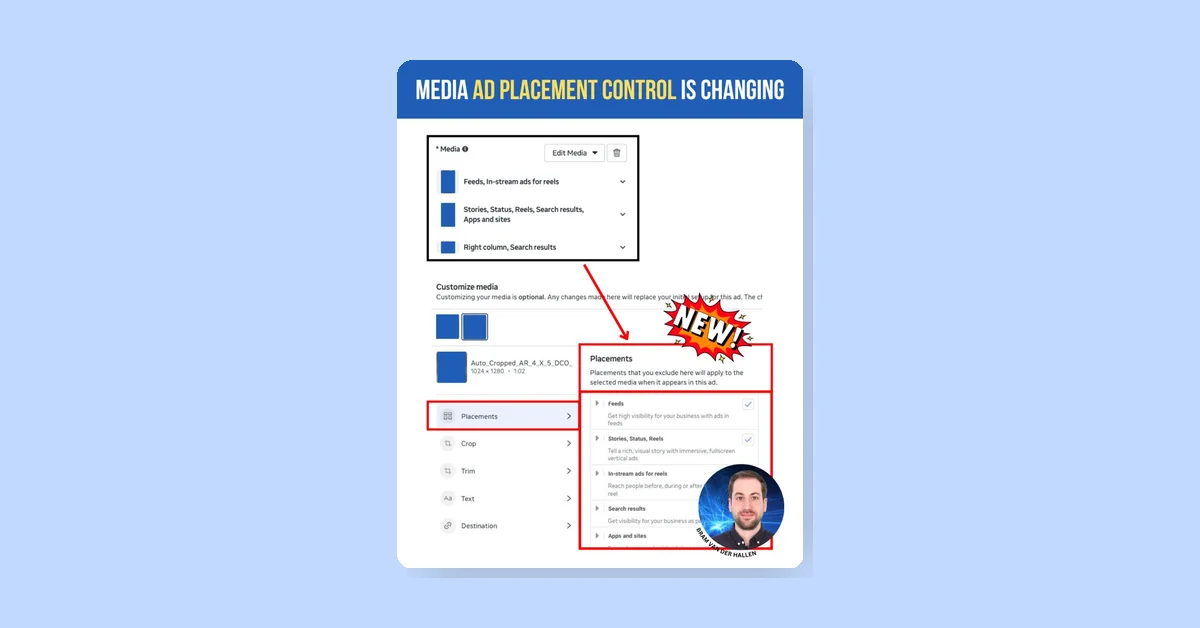
Meta changed ad creative selection: upload multiple creatives in different aspect ratios and customize each with crops, text, and destinations. You can exclude placements per media. Without customization, Meta auto-crops media for each user and placement. It's advised to exclude some placements manually, like vertical ones for 4:5 images. Meta adds related media automatically; review and remove to maintain control.
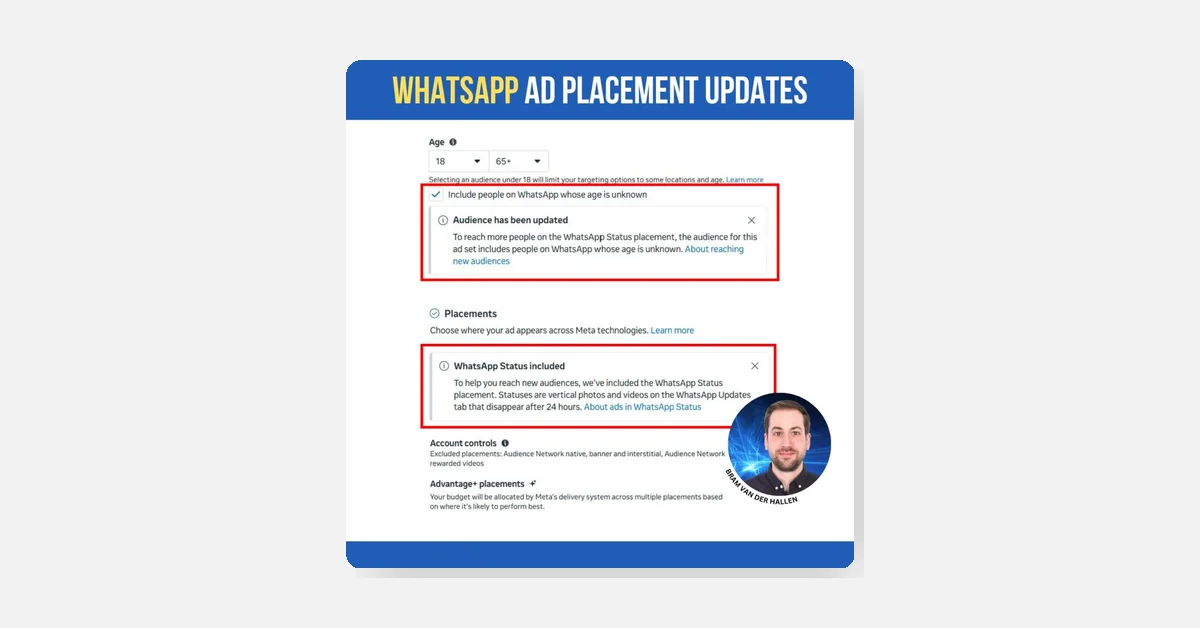
The 'WhatsApp Status' ad placement is expanding to more Meta ad accounts. It activates automatically in 'Traffic' campaigns optimized for link clicks, daily reach, or impressions when using 'Advantage + placements'. Meta added an option to include WhatsApp users with unknown age, potentially increasing reach. Fullscreen vertical (9:16) images or videos are recommended. Without a linked WhatsApp profile, ads may use your Facebook page.
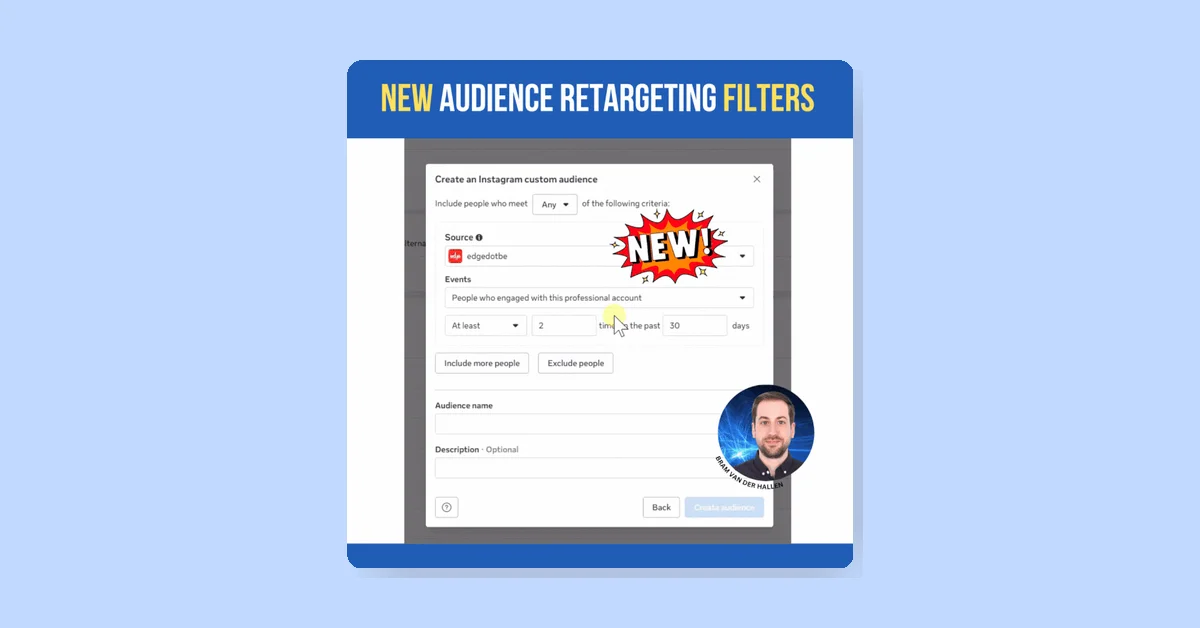
Meta introduced new filters for Facebook and Instagram custom audiences to refine retargeting. Users can now retarget based on engagement frequency ('at least' x times) and time frame ('in the past' x to x days). These filters apply to various interactions like account visits, post engagement, and call-to-action clicks. This update helps create higher-quality, evergreen retargeting segments, especially for large audiences.
Meta changed how CTA buttons appear on existing posts. Previously, adding a CTA in Ads Manager updated the original post, showing the button on the Page too. Now, the CTA only appears in the ad, not on the original post. This allows advertisers to tailor CTAs to campaign goals, align messaging with funnel stages, and test multiple CTAs without changing the organic post.
Meta is rolling out Threads ads globally, so add your Threads account to your Meta Business Suite. To do this, go to 'Business Settings' in Meta Business Suite, then 'Threads accounts' under 'Accounts.' You must have an Instagram account with the same username linked first. If your Facebook or Instagram is missing, log in with your Instagram to find or merge business suites. Ensure your business owns all accounts, not third parties.