Twelve months ago, if you wanted Claude or ChatGPT to touch your Facebook ad account, you were either writing custom code against the Meta Marketing API or wiring up an open-source MCP server on a weekend. Now there's an official Meta MCP, managed products like Markifact, half a dozen open-source projects, and reporting tools like Supermetrics and Windsor.ai that all market themselves under the same "Meta Ads MCP" label.
The problem is they don't do the same thing.
Some are read-only reporting layers. Some are developer toolkits. Some manage real campaign execution. Some are safe by design. Some can change live budgets if you let them.
This is a working marketer's guide to which one fits which job. No hype, no AI automation fairy tales. What each option actually does, where it breaks, and who should pick it.
What is a Meta Ads MCP server?
MCP is the Model Context Protocol. It's an open standard that lets AI clients (Claude, ChatGPT, Cursor, and others) talk to external systems through a structured tool interface.
A Meta Ads MCP server sits between an AI client and the Meta Marketing API. The AI client asks for data or requests an action, the MCP server translates that into Meta API calls, and the response comes back in a format the AI can reason about.
That's the mechanical side. The practical side is that you can sit in Claude and say "find the campaigns wasting spend in the Acme account this week" and get an answer, instead of clicking through Ads Manager.
What changes between products is what the MCP server can actually do.
Quick comparison: Meta Ads MCP options at a glance
| Capability | Markifact | Official Meta MCP | Open-source MCPs | Supermetrics MCP | Windsor.ai MCP |
|---|---|---|---|---|---|
| Best for | Agencies and media buyers managing real ad work | First-party Meta-only access | Developers who want control | Reporting and data analysis | Read-only analytics |
| Setup | Managed, OAuth | OAuth through Meta | Self-hosted, you maintain it | Managed connector | Managed connector |
| Reporting | Campaign, ad set, ad, creative, audience, account | Meta-native | Depends on build | Strong | Strong |
| Multi-account | Built for it | Depends on access | You build the logic | Supported | Supported |
| Write actions | Full coverage including budgets and creatives | Limited | Depends | None | None |
| Approval controls | Built in | Depends on client | DIY | N/A | N/A |
| Ad formats | Image, video, carousel, catalog, dynamic | Whatever Meta exposes | Depends | Reporting only | Reporting only |
| Beyond Meta | Google Ads, TikTok, LinkedIn, GA4, Sheets, Slack | Meta only | Usually Meta only | Many sources | Many sources |
| Maintenance | Handled | Handled by Meta | Yours forever | Handled | Handled |
| Best fit | Reporting + execution | First-party access only | Custom internal builds | Data pipelines | Safe read-only |
How to choose: the question that actually matters
Most "which Meta Ads MCP is best" debates skip the real question.
It isn't which tool exists. It's what you want the AI to do.
Reporting and analysis is a different job from campaign execution. Single-account workflows are different from agency-scale multi-account work. A media buyer running ten client accounts has different needs than a founder running their own ads.
Three questions narrow it down fast:
- Do you need write actions, or just reporting?
- How many ad accounts do you manage?
- Do you need Meta Ads only, or your full marketing stack?
If you only want to ask "what was my CPA last week," any of these work. If you want to actually run campaigns from inside Claude, the list gets shorter quickly.
1. Markifact Meta Ads MCP
Best for: marketers, media buyers, and agencies that want managed Meta Ads execution through an AI client like Claude, ChatGPT, or Cursor.
Disclosure first: I built Markifact. I'll keep this section as honest as I can because the rest of the article is more useful to you if I do.
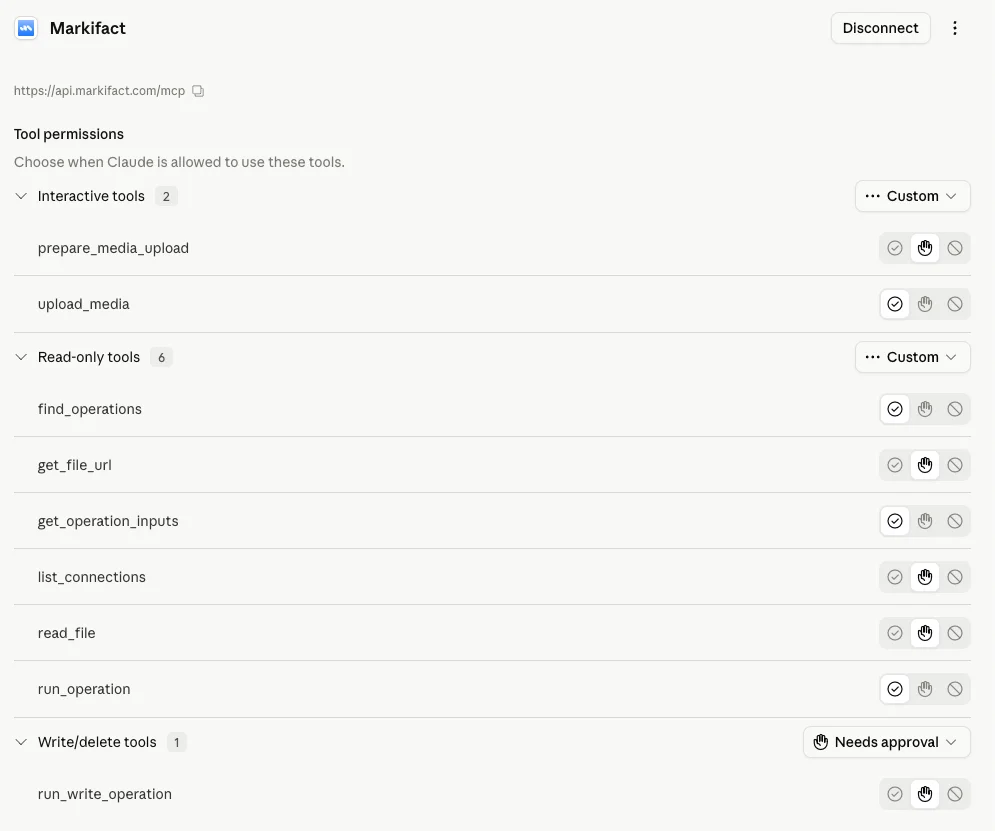
Markifact is a managed Meta Ads MCP designed for marketing execution, not just reporting. It exposes Meta Ads to AI clients through MCP, but the architecture underneath is a full marketing automation layer covering campaigns, ad sets, ads, creatives, audiences, budgets, approvals, and multi-account work across several ad platforms.
The reason this matters is that most marketers don't stop at performance questions. They ask things like:
- "Find campaigns wasting spend across all three client accounts."
- "Draft a paused campaign for the new offer using the winning creative template."
- "Which creatives are fatiguing this week? What should I refresh first?"
- "Bump budgets on the winners, but ask me before you push anything live."
Those are execution workflows. A reporting connector can't run them.
Where Markifact does well
Cross-account reporting and analysis. Campaign creation, ad set targeting, ad creation, creative management for image, video, carousel, catalog, and dynamic creative where Meta supports it. Budget changes with approval gates. Audience workflows. Cross-channel comparisons against Google Ads, TikTok Ads, LinkedIn Ads, and GA4. Slack notifications. Sheets exports.
The multi-account piece is where most other tools fall over. Agency work is messy. You're comparing accounts, separating client data, summarizing performance per client, and running similar optimizations across portfolios. Markifact is built around that shape of work.
Where Markifact loses
It's a paid managed product. If you want free and Meta-only, the official MCP is a better fit. If you want to own every line of code and host the server yourself, an open-source MCP is the right path. Markifact's value is that the OAuth, app review, token storage, API version drift, approval logic, and reliability are handled for you. If that isn't something you'd pay for, this isn't the tool.
2. Official Meta Ads MCP
Best for: advertisers who only need Meta and want a first-party connection.
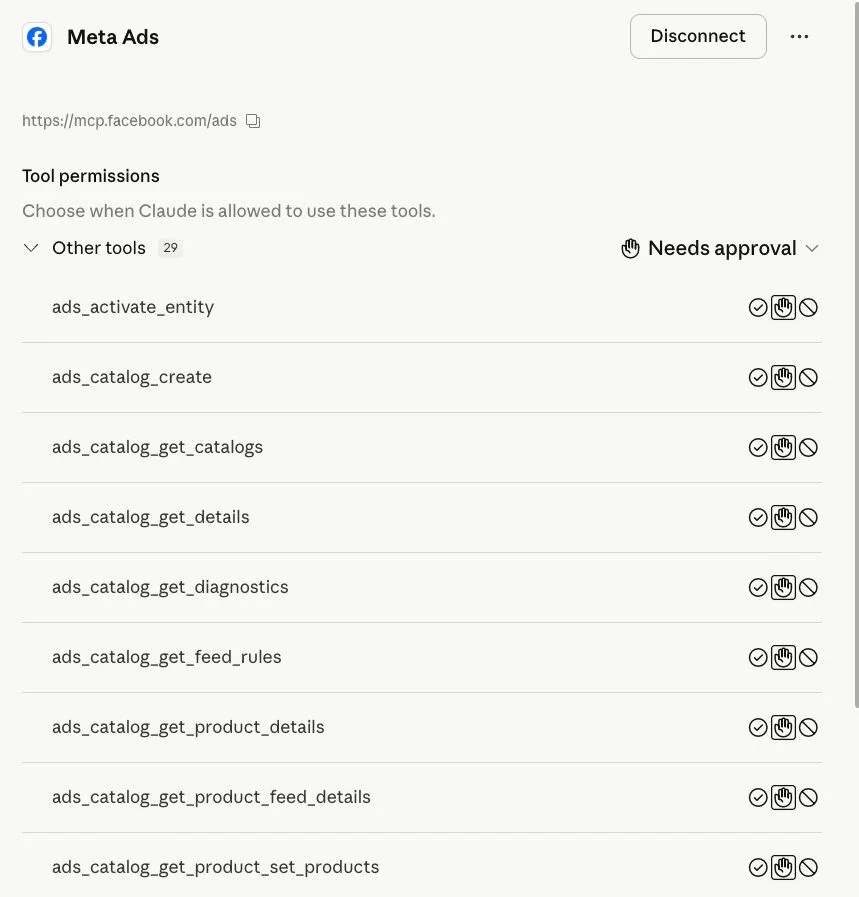
Meta's official MCP is the most important new entry in this category just because Meta built it. First-party OAuth, maintained by the platform, no Meta developer app to spin up, no long-lived token to babysit.
For a single advertiser with one ad account, that's a clean setup.
Where the official MCP does well
First-party access. Meta-native OAuth. No self-hosted server. No custom app review. Meta handles version changes and connector maintenance. If your workflow lives entirely inside Meta Ads and your account is enabled, this is a reasonable default.
Where it falls short for marketers
A few things to flag.
Account eligibility hasn't been uniform. Some advertisers report that one account is enabled and another isn't, which makes agency rollout unpredictable.
It's Meta-only by design. If your week involves Google Ads, TikTok, LinkedIn, GA4, Slack, Sheets, or a CRM, the official MCP won't carry that load.
Write action coverage is narrower than what most agency workflows actually need. There's a real gap between "the MCP can adjust some Meta-native settings" and "the MCP can run the operational cadence an agency runs every week," which usually includes cross-account analysis, approval flows, scheduled checks, client-by-client summaries, and creative rotation work.
If you're a solo advertiser running your own Meta campaigns, the official MCP may be all you need. If you're running ten client accounts and a Google Ads spend on top, you'll outgrow it.
3. Open-source Meta Ads MCP servers
Best for: engineering teams that want full control and have the capacity to maintain it.
Open-source Meta Ads MCPs are useful precisely because they give developers control. There are several projects on GitHub that wrap the Meta Marketing API and expose it as MCP tools. Some keep the tool surface small. Others expose dozens of endpoints across campaigns, ad sets, ads, insights, audiences, catalogs, and diagnostics.
Where open-source MCPs do well
Total control. You choose the tool schema, the auth flow, the hosting model, the logging, the guardrails. You can wire it into your internal monitoring and your internal access controls. For technical teams building something proprietary, that's powerful.
The hidden cost
"Free" is rarely free in production.
With an open-source MCP, the maintenance surface includes hosting, OAuth, credential storage, token refresh, Meta app review, API version updates, rate limits, error handling, logging, monitoring, approval flows, access control, client separation, and security review. Plus the MCP tool design itself.
Tool design is where I see the most projects struggle. A common mistake is exposing every Meta API endpoint as a separate tool. That looks impressive in a README, but it bloats the AI client's context window, makes tool selection less reliable, and increases token cost on every message. A well-designed MCP exposes the right tools, not the most tools.
Security depends entirely on how you build it. Open-source isn't insecure by default, but storing ad account tokens for clients is a real responsibility. If you can't answer where tokens live, how they're rotated, who can read logs, and whether write actions are gated, a managed product is safer.
Best fit: internal engineering teams with the capacity to operate this seriously. Bad fit: marketers looking for a "free Markifact."
4. Supermetrics MCP
Best for: marketing data analysis and cross-platform reporting in AI tools.
Supermetrics has spent a decade building marketing data connectors, so its move into MCP is a natural extension. The Supermetrics MCP is primarily a reporting layer that gives AI clients access to marketing data across many sources.
If your job is analysis, this is a useful tool.
Where Supermetrics does well
Multi-source reporting in one place. Meta Ads, Google Ads, LinkedIn Ads, TikTok Ads, GA4, and more, all queryable through an AI client. Good for analysts, marketing ops, and reporting teams who already use Supermetrics for dashboards and just want the same data inside Claude or ChatGPT.
Typical use case: "Summarize last week's spend, revenue, ROAS, and CPA by channel and campaign."
Where it doesn't fit
It isn't built for campaign execution. You won't use Supermetrics to create a campaign, build an ad set, manage audiences, change budgets, or pause underperformers. Think of it as AI access to marketing data, not AI management of Meta Ads.
If you only need the reporting half of the workflow, this works. If you need both halves, you'll need a separate execution tool.
5. Windsor.ai MCP
Best for: safe, read-only marketing analytics inside AI clients.
Windsor.ai is also reporting-side, with a tighter posture. It's read-only, which is the point. The AI can analyze your Meta Ads data but cannot change anything. For teams nervous about giving an AI client any write access, that's a feature, not a limitation.
Where Windsor.ai does well
Performance reporting, cross-platform analytics, safe AI access to ad data. Good fit for teams who want insights without any risk of the AI touching live campaigns.
Where it doesn't fit
Read-only means no execution, full stop. No campaign creation, no budget changes, no creative management, no audience updates, no approval-based write actions. If reporting is enough, this works. If you want AI to help run the account, it's not the tool.
Best Meta Ads MCP by use case
Choose based on the job, not the brand.
Marketing execution across accounts: Markifact. First-party Meta-only access: Official Meta MCP. Custom internal build with engineering capacity: an open-source Meta Ads MCP. Cross-platform reporting in AI tools: Supermetrics. Safe read-only analytics: Windsor.ai.
Most agencies end up needing two of these. Reporting plus execution, usually.
What to look for in a Meta Ads MCP
Six things actually matter when you compare these tools.
1. Read access vs write actions
The biggest split in the category. Reporting tools answer questions. Execution tools change accounts. Don't pay for write actions if you only need reports, and don't try to make a reporting tool run your campaigns.
2. Approval controls
If write actions exist, you want guardrails. The AI should suggest changes, prepare drafts, or stage actions for human review before anything goes live in a real ad account. For agency work this is non-negotiable. Clients don't want surprises in their spend reports.
3. Multi-account workflows
A solo advertiser cares about one account. An agency cares about ten. The MCP needs to compare accounts, separate client data, and handle account context without you re-authenticating constantly.
4. Marketing context beyond Meta
Meta Ads rarely lives alone. Real workflows pull in Google Ads, TikTok, LinkedIn, GA4, Sheets, Slack, CRMs, and landing pages. A Meta-only MCP can be useful, but it won't cover the full operating layer.
5. Setup and maintenance burden
Ask what you're committing to. Hosting? Meta developer app? Token storage? API version updates? If the answer is "all of that, forever," fine for an engineering team, painful for a marketing team.
6. Tool design
More tools isn't better. A bloated MCP catalog hurts AI reliability, increases token cost, and slows responses. The best MCP servers expose a small set of well-designed tools that match real workflows. For marketers, that means tools shaped around outcomes (reporting, campaign creation, optimization, audiences, budgets, approvals), not raw Meta API endpoints.
Final recommendation
If you only need first-party Meta access and your account is enabled, the official Meta MCP is the cleanest start.
If you're an engineering team with capacity, pick an open-source Meta Ads MCP and accept that you're maintaining it.
If you only need reporting, Supermetrics or Windsor.ai cover that well.
If you want Claude, ChatGPT, Cursor, or any other AI client to actually run Meta Ads with reporting, write actions, approval controls, multi-account support, and the rest of your marketing stack connected, Markifact is the strongest fit.
FAQ
What is a Meta Ads MCP server?
A Meta Ads MCP server is a connector that exposes the Meta Marketing API through the Model Context Protocol, so AI clients like Claude, ChatGPT, and Cursor can read Meta Ads data and, depending on the server, run campaign management actions.
Is the official Meta MCP better than third-party Meta Ads MCPs?
It depends on the job. The official MCP wins on first-party trust and Meta-native auth. Third-party MCPs win on broader workflow coverage, multi-account support, approval controls, and integrations with other ad platforms.
Can a Meta Ads MCP create campaigns?
Some can. Markifact supports campaign, ad set, ad, and creative creation with approval flows. The official Meta MCP supports a more limited set of write actions. Open-source MCPs vary by build. Supermetrics and Windsor.ai are reporting tools and do not create campaigns.
Which Meta Ads MCP is best for agencies?
Markifact, for agencies that need multi-account work, approval-based execution, reporting, and integrations beyond Meta Ads.
Which Meta Ads MCP is safest?
For pure safety, Windsor.ai is read-only and cannot modify anything. For managed write actions with safeguards, Markifact runs OAuth-based access with approval flows. The official Meta MCP is secure on the auth side, but you should still review what actions the connected AI client can perform.
Are open-source Meta Ads MCP servers safe?
They can be, if implemented well. Safety depends on hosting, credential storage, access control, logging, and whether write actions are gated. Open-source gives you control but also gives you the full security responsibility.
Do I need a Meta developer app to use a Meta Ads MCP?
For the official Meta MCP and managed tools like Markifact, no. For most open-source MCP servers, yes, you'll need your own Meta app and credential management.
What is the best Meta Ads MCP overall?
Marketers and agencies that want reporting plus execution: Markifact. First-party Meta-only access: official Meta MCP. Engineering teams building custom: an open-source MCP. Reporting only: Supermetrics or Windsor.ai.