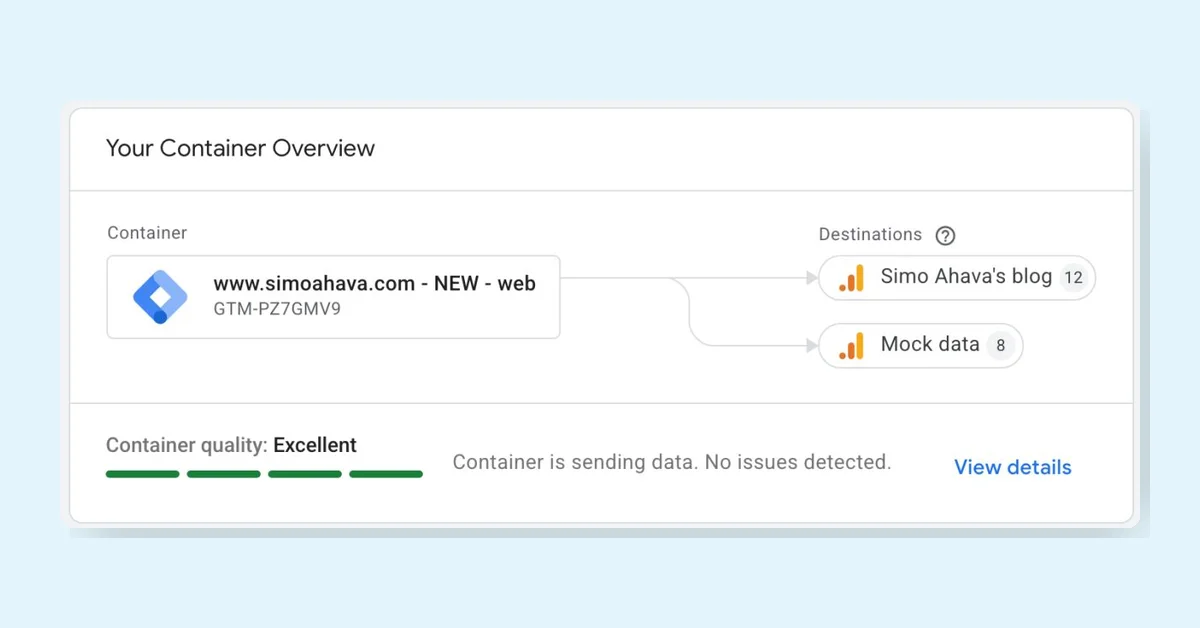
Google Tag Manager (GTM) is receiving its most significant update in years, announced at Google Marketing Live on May 21st. The key change is that GTM containers will become Google Tags, but this upgrade is optional and does not automatically link GTM data collection to GA4, Google Ads, or Floodlight, nor does it require using Google products exclusively.
Integration of Google Tag and GTM
Historically, GTM and Google Tag have been related but developed separately, with GTM stagnating while Google Tag advanced. The update merges their development, allowing Google to improve GTM without compromising Google Tag priorities.
Legacy Google Tags Become Destinations
A major feature is an upgrade flow where GTM containers can be converted into Google Tags. Legacy Google Tags within containers migrate to "Destinations," which centralizes tag management and eliminates the need to load multiple gtag.js files per destination. This change reduces bandwidth and browser resource usage. Centralized Google Tag Settings apply across all destinations, though individual destination settings can still be overridden. Users can continue using legacy Google Tags if preferred.
User Interface Updates
The GTM UI will include the upgrade flow and an enhanced "Overview" page to support the new architecture. The side menu will hide some options under an "Advanced" section to reduce clutter, which may add extra clicks for power users. A new visual event builder tool will allow users to create tags, triggers, and variables by interacting with their website in a WYSIWYG style, similar to tools used in conversion rate optimization.
Preview, Testing, and Rollback
Upgrades are not automatic. Users will be prompted to upgrade each container and can preview changes, test in a workspace, and roll back if necessary. This process also applies to the new centralized "Settings" model in GTM.