Simo is a partner and co-founder at 8-bit-sheep and co-founder of Simmer, an online course platform for technical marketers. A Google Developer Expert for Google Analytics and Google Tag Manager since 2014, he hails from Espoo, Finland. With a background in English language, IT, digital marketing, and web development, he has been programming since 1997. His blog aims to simplify complex topics in web analytics, digital marketing, SEO, and Google Cloud Platform, promoting knowledge sharing.
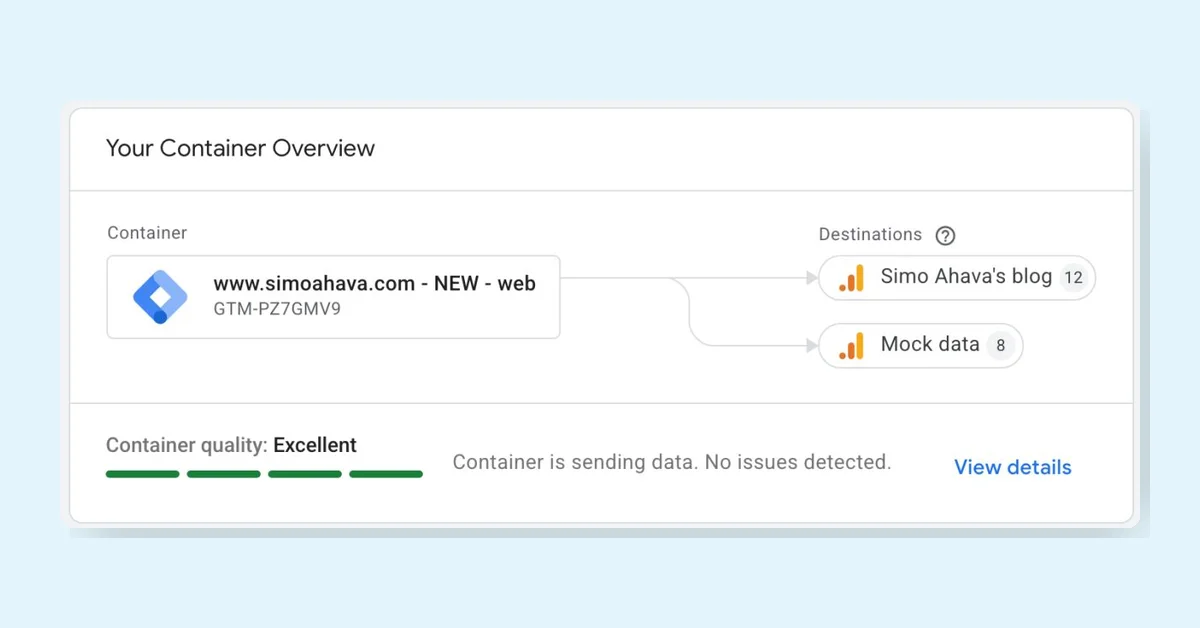
Google Tag Manager (GTM) is getting a major update making GTM containers become Google Tags, but this is optional and won't auto-collect data or require Google products. Legacy Google Tags become Destinations, reducing extra script loads and centralizing settings. The UI adds an updated overview, an advanced menu, and a visual event builder. Users can preview, test, and roll back changes before upgrading.
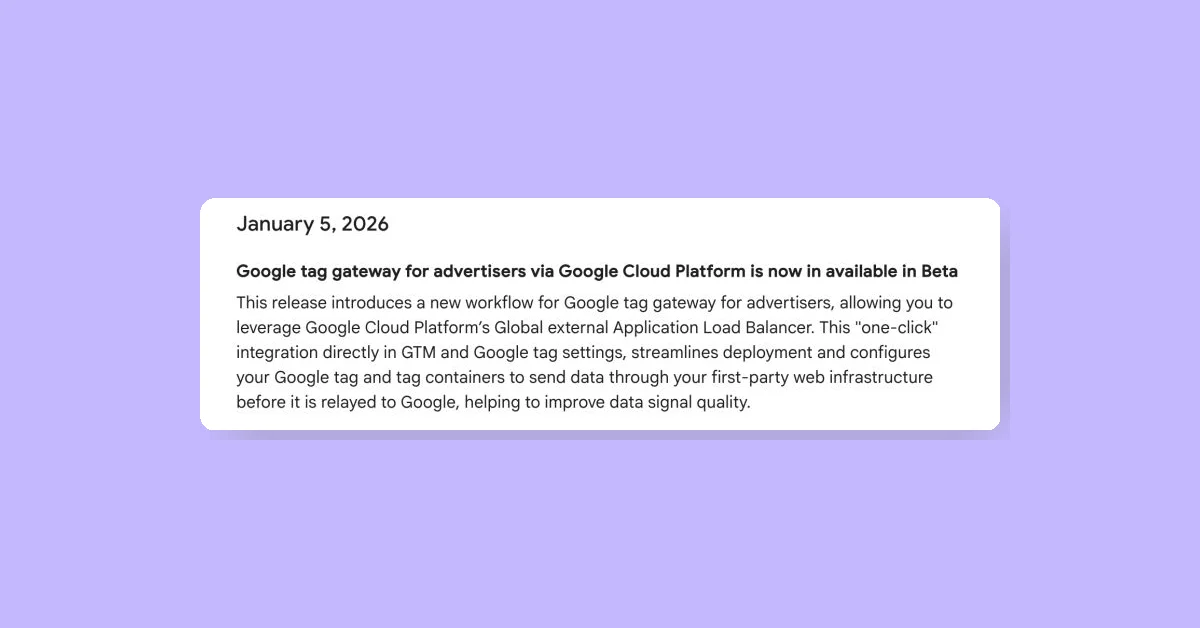
Google Tag Gateway is launching a Google Cloud Platform integration in beta, allowing one-click deployment using an External Application Load Balancer and backend service routing. This setup hosts Google's tagging tech on a first-party domain, improving resistance to tracking prevention and ad blockers. Previously, Cloudflare was the only automated option. More details and documentation are expected as the feature rolls out.
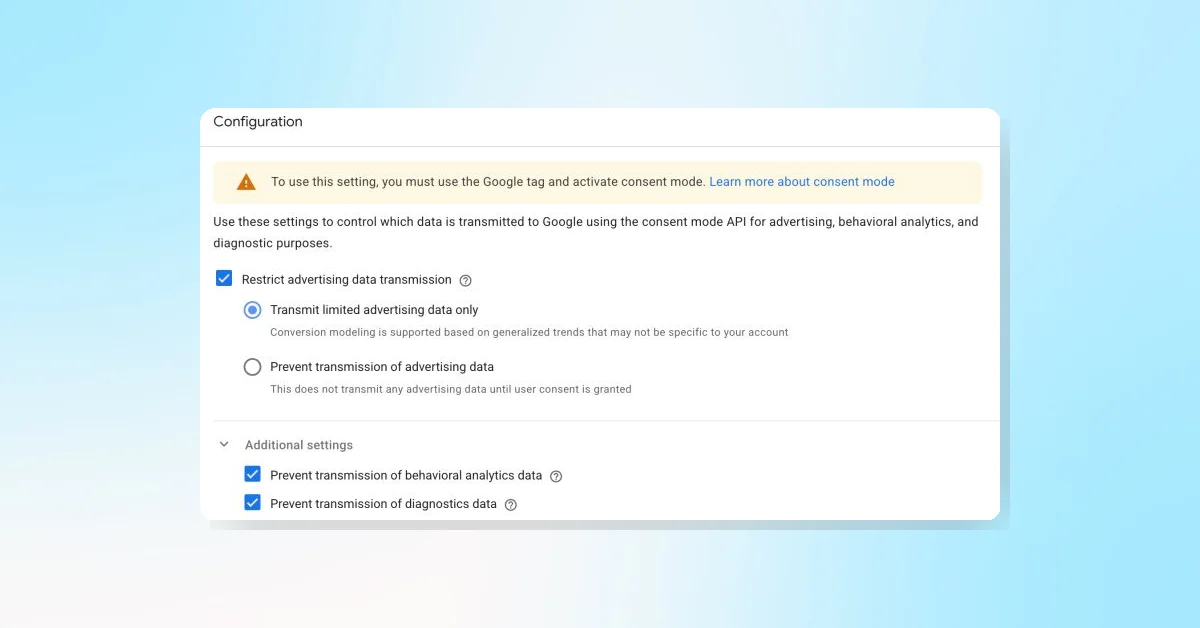
"Manage data transmission" in Google Tag controls data flow by blocking ads, analytics, or diagnostic requests if consent isn't given, even with Advanced Consent Mode. It allows limited data for ads without consent and automatically refires tags when consent is granted, queuing events until then. This applies only to Google's tags now, with possible future enhancements.
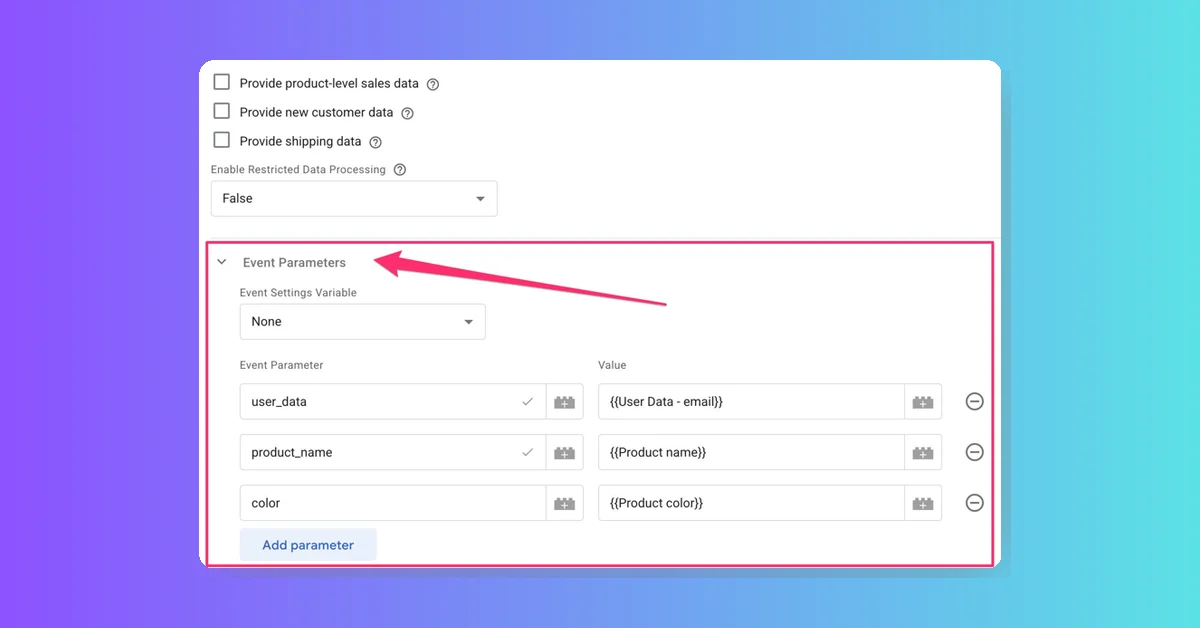
Google Tag Manager now allows adding custom event parameters to Google Ads and Floodlight tags. This new feature, rolling out to most containers, introduces an "Event Parameter" field group for sending custom parameters and configuring tracker settings, reducing differences between manual gtag() tagging and GTM templates.
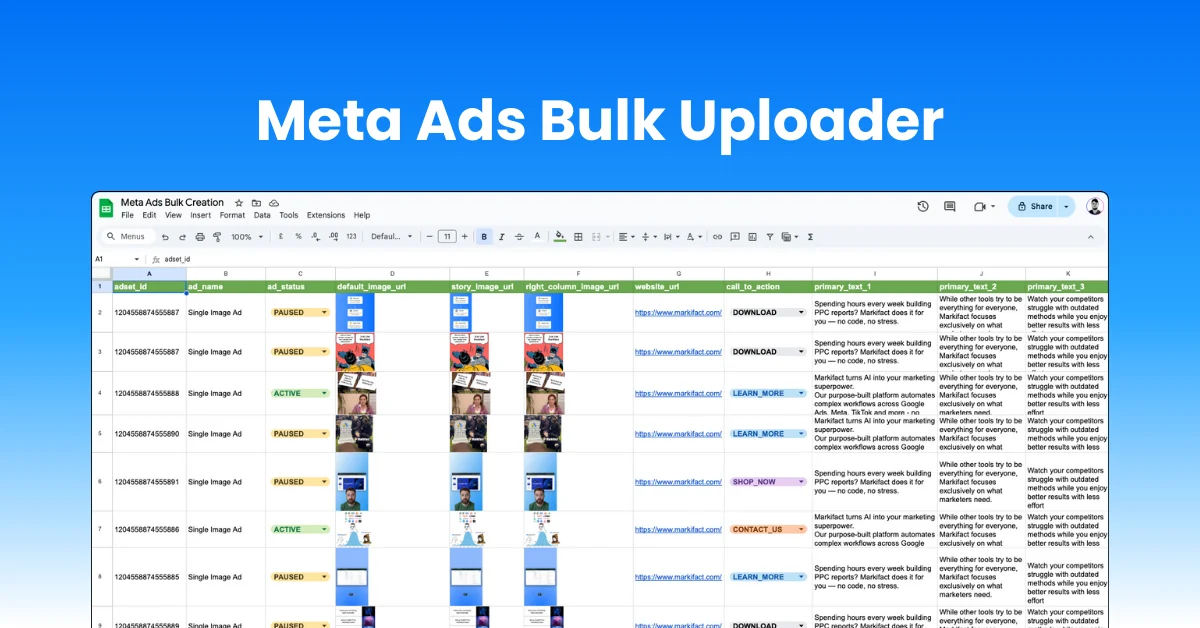
Upload all Meta ad types in bulk directly from Google Sheets, single image, video, carousel, and flexible ads. Control placements, multiple headlines, primary texts, descriptions, and creatives from one spreadsheet. Built for agencies and teams managing dozens of ads across multiple accounts, helping you launch faster, stay consistent, and avoid costly manual errors.
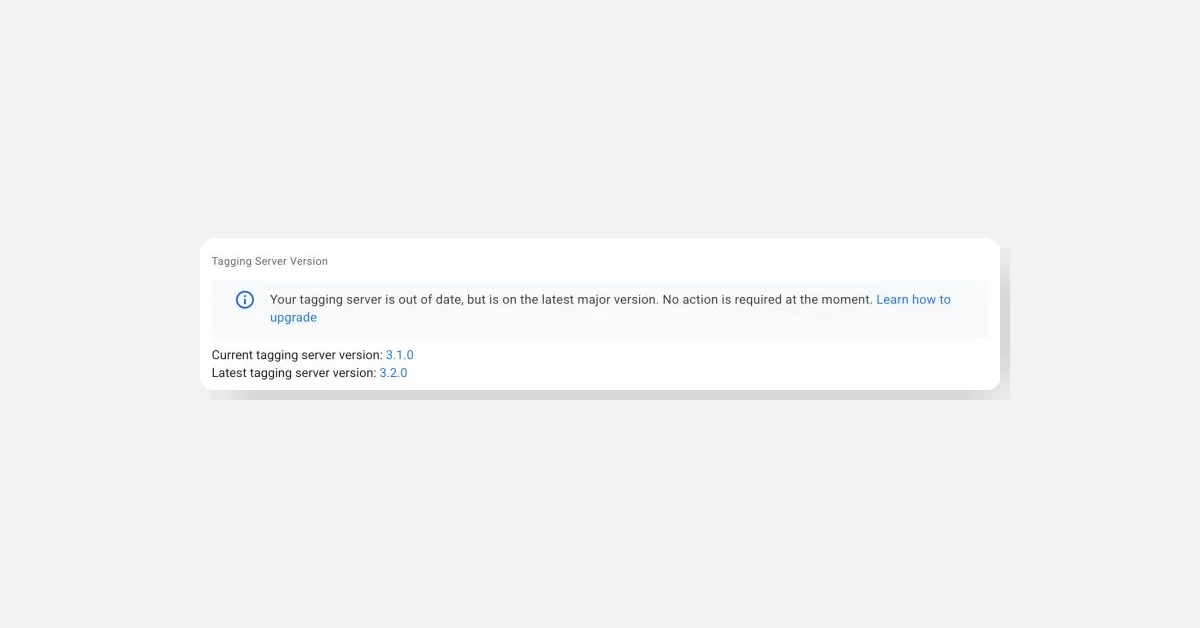
The server-side Google Tag Manager (GTM) application has a new release (v3.2.0) with updates to dependencies like BigQuery Client and the re2 library. Updating is simple: redeploy your current setup without changes. For Cloud Run users, go to the Cloud Run dashboard, open your SGTM services, click Edit & deploy new revision, then Deploy. Repeat for all SGTM services.
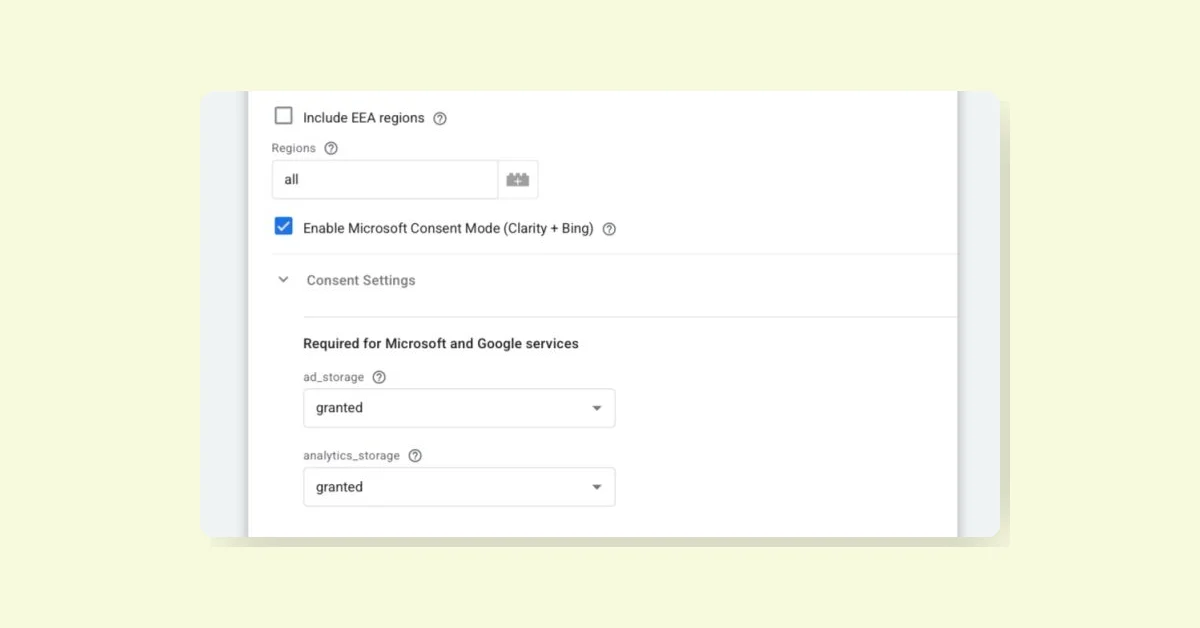
Microsoft Clarity will enforce consent signals starting October 31, 2025, for users in the EEA, UK, and Switzerland. A new Consent Mode GTM template will update to apply consent states to Clarity, ensuring compliance. Clarity plans a direct Google Consent Mode integration by mid-September 2025, which will make the template update unnecessary if released on time. Websites using GCM need no extra changes.
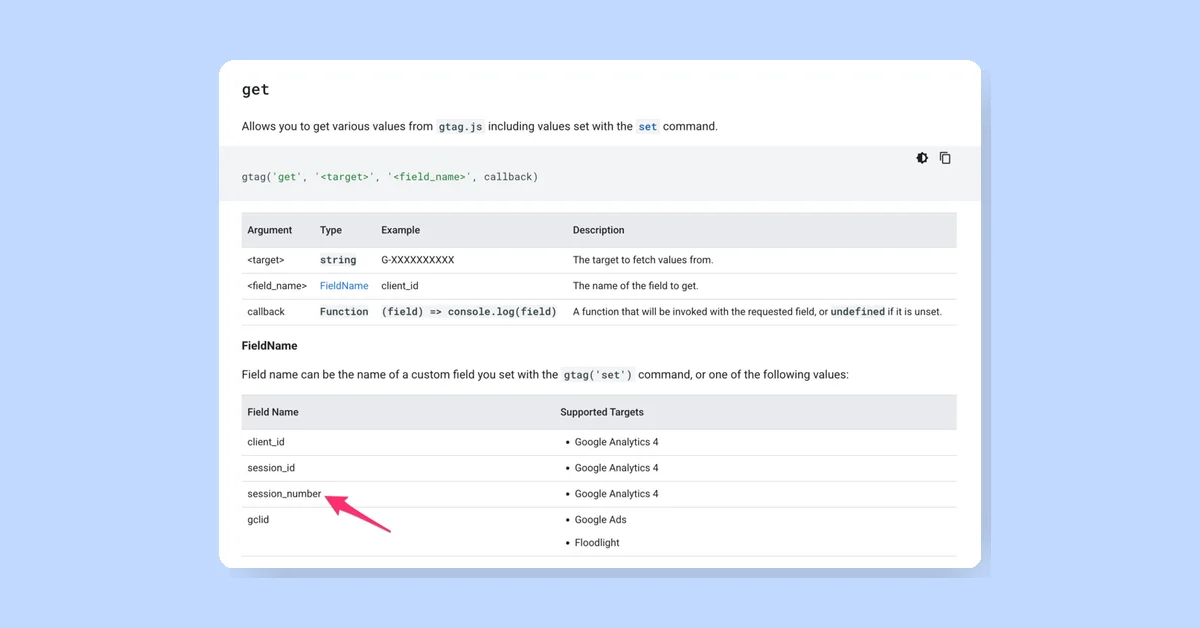
The gtag.js get() API now supports retrieving the Google Analytics session number from the session cookie, in addition to the session ID. The get command fetches values set with gtag.js, using gtag('get', '<target>', '<field_name>', callback). Supported field names include client_id, session_id, session_number for GA4, and gclid for Google Ads and Floodlight.
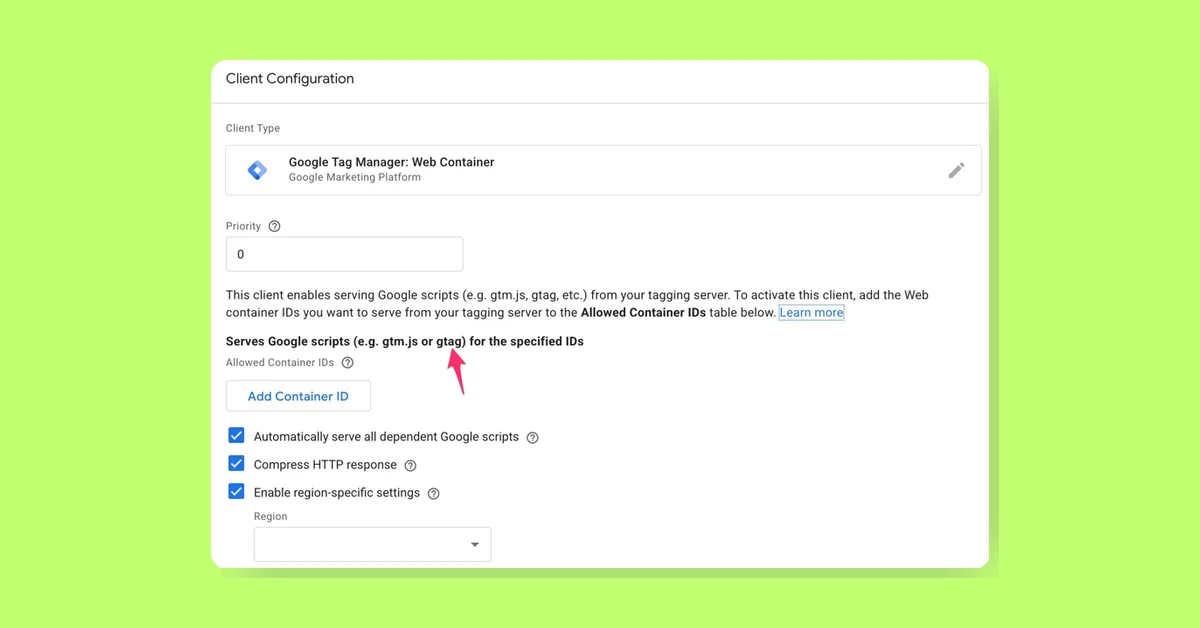
Server-side GTM no longer loads gtag.js with GA4 Client; all Google JS libraries load via Web Container Client. To load gtag.js, create or modify a Web Container Client and allowlist Measurement IDs. The "Automatically serve all dependent Google scripts" option auto-handles tags without separate ID listing. Using the Web Container Client for gtag.js loading is optional.
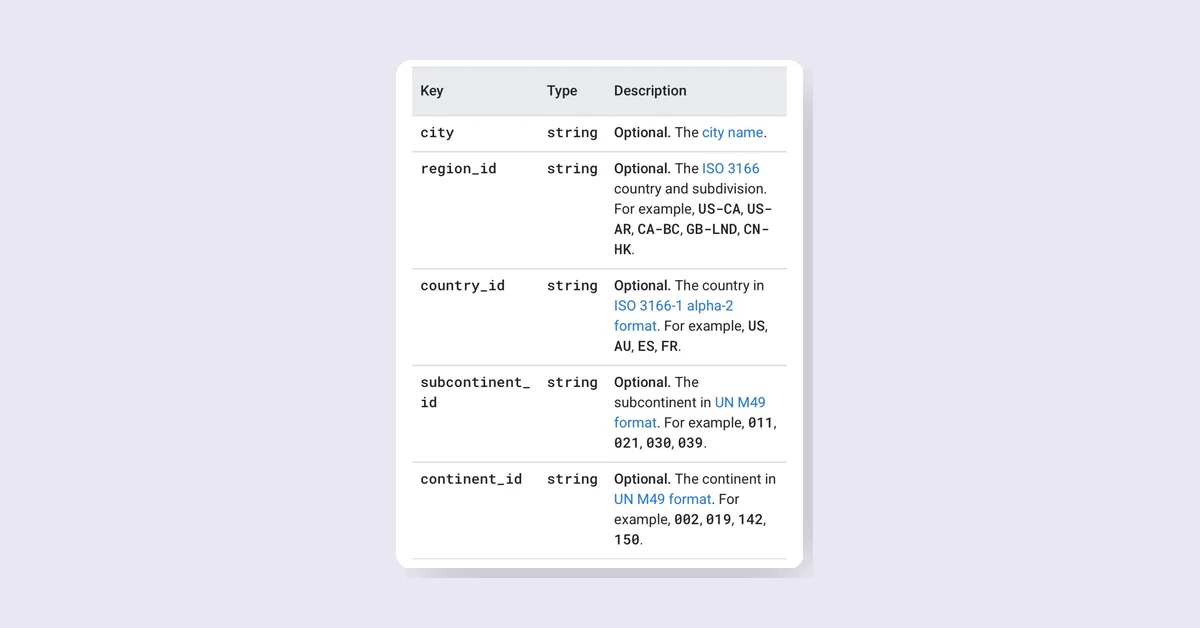
GA4 Measurement Protocol now allows overriding user geographic location using ip_override or user_location attributes. user_location takes precedence and should include details like country_id and region_id at minimum. The user_location object can specify city, region_id, country_id, subcontinent_id, and continent_id with respective codes. This helps provide accurate geographic info for events.