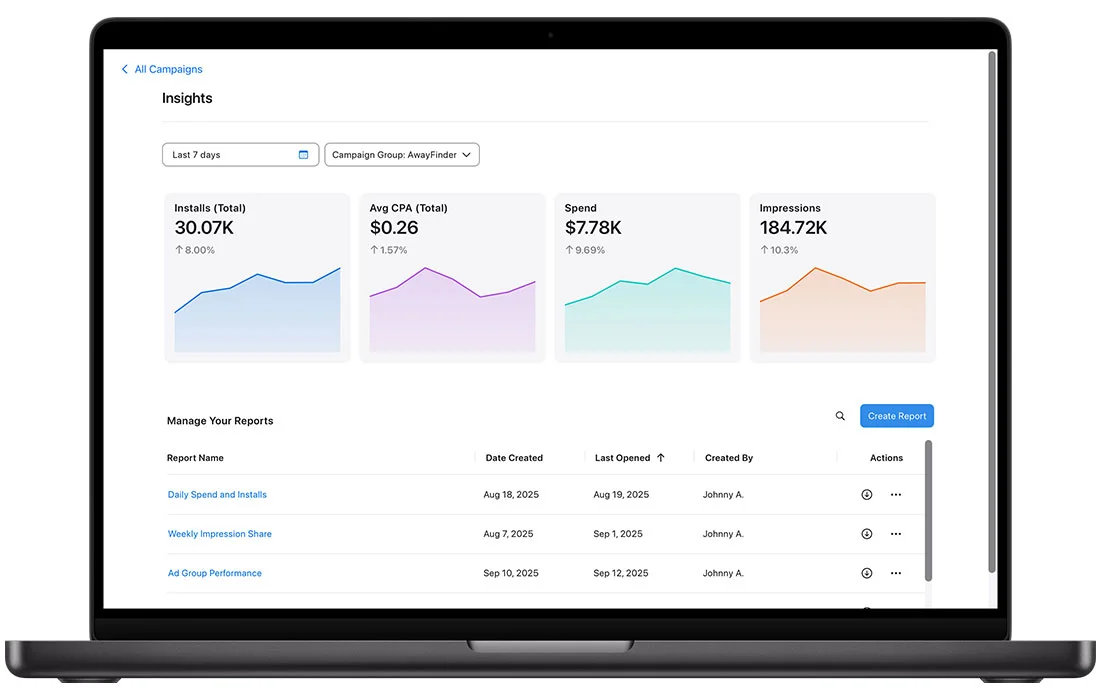
Apple Ads is replacing Custom Reports with a new analytics tool called Insights, designed to help users explore and visualize campaign performance data more effectively. Insights provides a comprehensive view of performance across all campaign groups, campaigns, ad placements, and keywords, enabling informed decision-making through robust data analysis.
Exploring and Visualizing Insights
Insights offers a landing page that gives a high-level snapshot of overall performance for selected campaign groups over the last seven days. Users can adjust the date range and add or remove campaign groups to analyze trends. The landing page also stores saved reports, including those migrated from the Custom Report Builder, with sorting options like Last Opened to quickly access frequently used reports.
The Insights report builder provides predefined reports to help users get started quickly. These reports come pre-populated with common metrics and dimensions but can be customized by editing metrics, dimensions, filters, and date ranges to suit specific goals. Visualization options allow deep analysis of data segments across the entire account.
Access to Insights is available via the Insights link located in the upper-right corner of the Campaigns, Ad Groups, Ads dashboards, or Keywords tab.
Predefined Reports
There are two types of predefined reports in Insights:
Performance Reports: These show common performance views across dimensions such as Campaign Groups, Campaigns, Ad Groups, Ads, Keywords, Search Terms, Ad Placements, and Country or Region. They help users compare data across the account to identify what is performing well or needs attention.
Advanced Reports: These provide aggregate data not tied to specific campaigns. For example, Impression Share reports reveal competitiveness on search terms by country or region, showing impression share, rank compared to other advertisers, and search term popularity.
Users can customize these reports extensively, except for some restrictions on dimensions in certain reports like Impression Share (e.g., timezone cannot be edited). Reports can be saved, shared, downloaded (as XLSX files), or deleted from the Insights landing page.
Managing Reports
The Insights landing page lists all created and shared reports, including those migrated from Custom Reports. Users can:
- Review and sort reports by last opened, name, creation date, or creator.
- Edit reports they originally created or save edits as new versions if the report was shared.
- Download reports as XLSX files.
- Share reports with campaign groups, granting access to all members.
- Delete reports they own, which removes access for all shared users.
Troubleshooting and Limitations
When creating reports, users should note:
- Only one Time dimension can be used per report.
- Reports have a maximum date range of 24 months.
- Measures like Impression Share, Search Popularity, and Rank require specific dimensions (Day, App, App ID, Country or Region, Search Term) for readable data.
- Predefined Impression Share reports display only the last 12 weeks of data.
Additional Resources
Apple Ads also provides tips for evaluating performance and solving performance issues, along with attribution guidance. Users can find partners to optimize performance and access certification courses to enhance their Apple Ads skills.